Tenant
Explains what is a tenant and how it works.
A tenant is like an identity broker, a logical entity that validates tokens against configured identity providers. Each tenant can have multiple unique providers configured to handle different authentication sources.
Caution
If you are using tenants for your customer. You need to create one tenant per one customer entity in your system. This ensures isolation of configured providers for your customers, so one customer cannot accidentally validate a against the wrong provider.
Tenant Provider:
A tenant provider is equivalent to a single identity provider. For example, if you are using Google as an identity provider, you need to create a provider for Google.
Illustration
Let's walk through an illustration of how a tenant validates tokens a typical user request workflow:
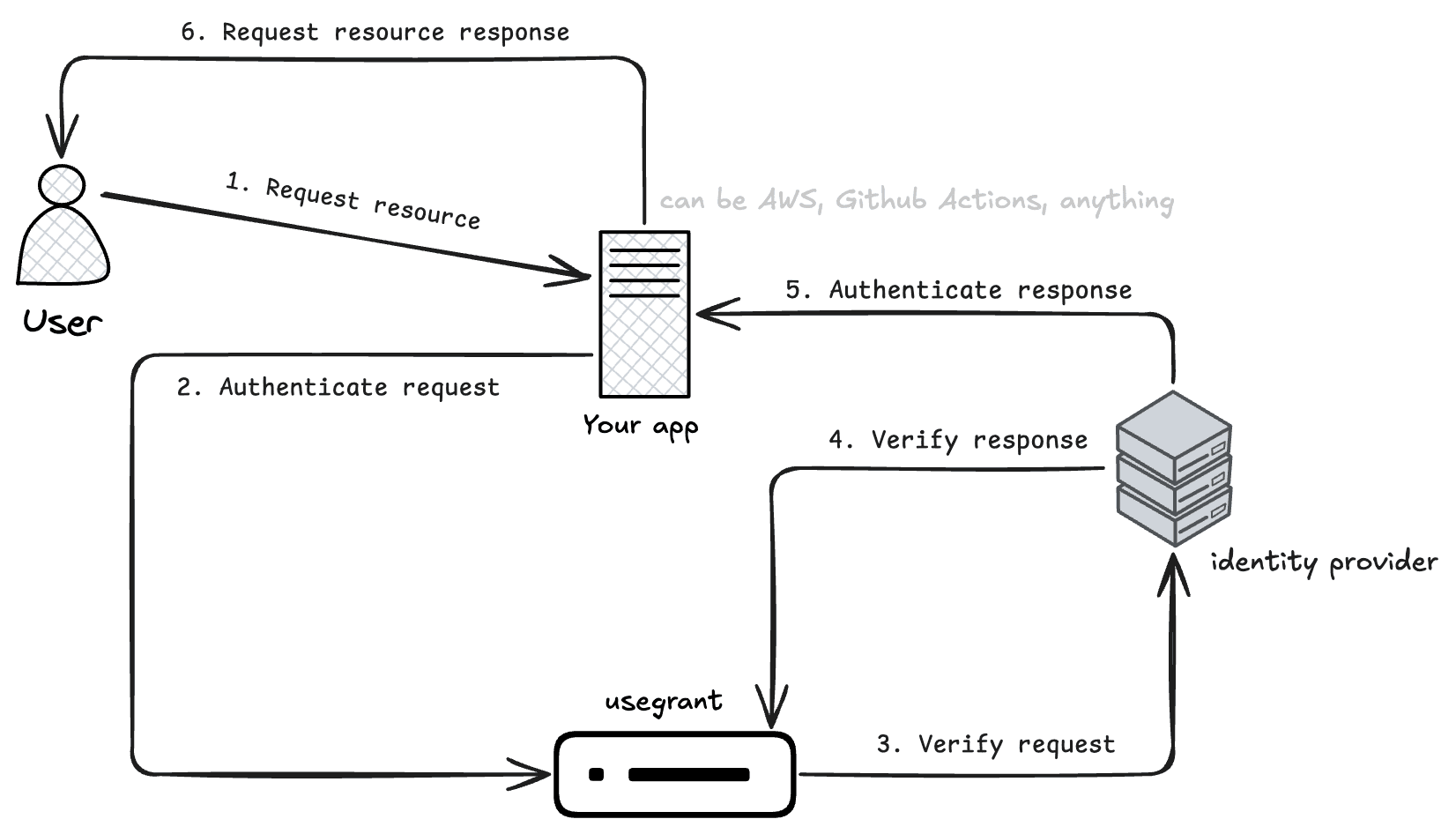
The workflow is as follows:
- The user will request a token from token server or Identity provider. The token server issues a JWT token and returns it to the user
- The user now sends the JWT token to your server for validation.
- Your server sends a request with the JWT token to UseGrant for verification.
- UseGrant extracts the provider details from the JWT token and checks for a matching configured provider. If a match is found, it fetches the provider's public key from the provider's configuration and verifies the token's integrity by validating the signature, expiration, sub, aud and other security parameters.
- UseGrant returns the validation result with token expiration time to your server.
- If the token is valid, your server grants access to the user or generates a new temporary token for allowing the request to proceed.
This is a simple example illustrating how a tenant validates tokens in a typical workflow. This logic will be the same for any other server.